🚀 Zaprep: Your Socials on Steroids. Start free — automate 1,000 DMs/month & turn engagement into leads. with 1,000 automated DMs/month.
Submit your Tool
PoweredByAI.app is an AI Tools Directory helping individuals, businesses, and creators discover the best AI tools for writing, coding, design, productivity, and more.
© 2026 , Product of011BQ. All rights reserved.

Today at 9 a.m. ET, founders, investors, and startup leaders are gathering at SoWa Power Station in Boston forTechCrunch Founder Summit 2026for a full day dedicated to the strategies, insights, and connections that help startups scale faster and smarter. That is also when prices will increase to full rates. Discounts and deals will end when doors open. From fundraising and product-market fit to AI innovation and enterprise growth, today’s agenda is packed with actionable advice from experienced founders, investors, and operators. Whether you’re raising capital, refining your go-to-market strategy, validating product-market fit, or preparing for your next stage of growth, Founder Summit delivers practical insights you can put into action immediately. Haven’t registered yet?There’s still time to join.Secure your pass and gain access to a full day of startup-focused content, investor perspectives, founder networking, interactive roundtables, and the conversations that can help accelerate your company’s growth.Register before 9 a.m. ET to save up to $100 on your pass, plus get a second pass for free. Registration and Expo Hours: 9:00 a.m. – 4:30 p.m. ETPick up your badge, connect with partners, and explore the Expo Hall throughout the day. The Expo Hall is where you’ll find exhibiting startups that bring a variety of solutions to help accelerate scaling. Networking Lounge powered by Braindate: 9:30 a.m. – 4:30 p.m.Schedule one-on-one and small-group meetings with founders, investors, and startup operators on the Braindate networking app. Some of the most valuable and insightful conversations happen between sessions and in the Networking Lounge. Breakout sessions: 10:00 a.m. – 4:30 p.m.Get your questions ready for these expert panel-led sessions. Hear from the leaders who’ve faced and overcome the challenges of scaling, such as Steve Fredette (Toast), during an interactive AMA on building a lasting company; Amulya Vishwanath (Techable Ventures) as she explores the next generation of AI opportunities; and more. Explore the full agenda and plan your day. Roundtable sessions: 10:00 a.m. – 4:00 p.m.These highly interactive sessions are where the deeper conversations happen. Led by experienced scaling leaders, the discussions dive into topics ranging from fundraising and launching to AI and beyond. Explore the full lineup on the agenda. Register nowto join the rest of Boston’s founders and VCs. Visit the Founder Summit agendato get to know each session and the speakers leading them. The Next Startup Advantage: Distribution Beats Technology—Hunter Worland(NEA) Fundraising Trends—Kristen Craft(Fidelity Private Shares),Jennifer Neundorfer(January Ventures), andDarren Ross(The.Team) The Next AI Opportunity: What Hasn’t Been Built Yet?—Amulya Vishwanath(Techable Ventures) Your Pitch Has to Earn the Next Conversation—Dave Balter(True Ventures / Edisyl) So You Think You Can Pitch?– Dave Balter (True Ventures),Jonny Boyarsky(FirstGlance),Shruti Gupta(PollSee),Sunmin He(PitchIN),Chirag Shah(Define Ventures),Simran Suri(Maveron) AMA with Toast Co-founder Steve Fredette—Steve Fredette(Toast) When to Scale and When to Hit the Brakes—Rudina Seseri(Glasswing Ventures) Finding Product Market Fit Before You Scale—Kent Bennett(Bessemer Venture Partners) Enterprise Relationships—Kristen Craft(Fidelity Private Shares),Yossi Hayut(Wix Ventures),Evan Schnidman(Fidelity Labs),Jennifer van Dijk(Boston Legacy FC) The Boston Founder Playbook—Chase Garbarino(HqO) How to Spot the ‘King of the Hill’ Company: Hidden Signals That Define Category Winners—Tina Tosukhowong(TDK Ventures) Register now to join these Q&A breakouts. Thesehighly interactive sessionsgive founders the opportunity to connect directly with experienced investors, fellow founders, and subject-matter experts. Space is limited, so secure your pass now to take part in these conversations and get in on the discussion. Register now to join these interactive roundtables. Closing Reception: 4:30 p.m. – 6:30 p.m.Join fellow founders, investors, and startup leaders for drinks, bites, and conversations that can turn into future customers, partners, hires, or investors. Missed the early registration window? You can still be part of today’s programming.Register nowto access expert-led sessions, founder roundtables, networking opportunities, and practical growth strategies from the startup ecosystem’s most experienced builders and investors. Don’t miss your chance to connect with the people and ideas driving the next generation of startup success. Grab your pass now, join us at Boston’s SoWa Power Station, and immerse yourself in the founder-focused conversations and connections that help startups scale.
View

Google was met with swift backlash on Tuesday after itannouncedthat schools using Google’s K-12 software will not be able to use Search unless they opt in to using AI tools. Chris Phillips, vice president for education at Google,toldThe New York Times that “Search and AI are deeply integrated,” so if a student’s school doesn’t opt in to using AI tools like Gemini, then students “will not have access to search, and they’ll see a message from their school that indicates it’s not available.” Even as Google made this announcement on a busy Election Day, several left-leaning politicians took time to speak up about their concerns. Senator Bernie Sanders (I-VT)accusedGoogle in an X post of “extortion,” writing that “Google is threatening schools: if you stop your students from using AI, we will cut off your access to Google Search.” Senator Richard Blumenthal (D-CT)said on Xthat Google is “more concerned with forcing Gemini into schools than enabling students to succeed.” President Trump claimed that AI oligarchs could regulate themselves because they “love our country.”Now, Google is threatening schools: if you stop your students from using AI, we will cut off your access to Google Search.That’s not love. That’s extortion.PAUSE AI NOW. Lina Khan, the former Federal Trade Commission chair and staunch advocate against monopolies, also condemned Google’s decision as anticompetitive. “This highlights the danger of allowing an unregulated monopolist to control an essential service,” shewrote. “Multiple courts have found Google liable for violating antitrust laws, and this latest move shows it remains unchastened.” New York City mayor Zohran Mamdani accused Google of being a monopoly,commenting, “No corporation should have the power to dictate how we teach our children.” Google is using its search monopoly to coerce schools into adopting AI. This highlights the danger of allowing an unregulated monopolist to control an essential service.Multiple courts have found Google liable for violating antitrust laws, and this latest move shows it remains…https://t.co/eajJN9yfQF While Search is a necessary tool for information gathering, educators worry that its built-in AI overviews could dissuade students from finding answers themselves. For millions of students required to use Chromebooks and Google education tools,using a different search engineisn’t a simple fix. Google says that it’s working on a “Guided Learning” tool for student accounts in Search, which is supposed to walk students through the process of solving a problem or finding information, rather than just handing them the answer. If a student is struggling with a math problem, for example, the feature may prompt them to refresh their memory about the rules for dividing exponents, instead of spitting out a number. In response to the backlash, Google pointed out ina post on Xthat it had listened to educators by turning off access to AI products by default and noted that schools could turn on Gemini, Gemini Notebook, and Search individually. We want to clarify what we announced today about our education services. Today’s announcements give schools more choice, not less. Here’s what we announced:– Gemini, Gemini Notebook, and Search will be OFF 🔴 by default. This is based on K-12 schools asking for more control… “We know there’s concern about students using AI to shortcut schoolwork, and schools have told us they want control,” Google wrote in its statement. “That’s exactly why we are making these changes today to address the feedback we’ve heard from educators in recent months. And we’ll continue to engage deeply with educators to ensure we are giving schools more choice, more controls, and improved Search for learning.”

On Tuesday, Apple rolled out a potentially controversial set ofAudio Intelligence features into testing with the first developer beta versionsof iOS 27.3 and watchOS 27.3. The betas bring four new AI features that allow Apple Watch Series 12 wearers to detect important sounds, identify songs, catch up on conversations, and take notes. After just a day with Apple’s Siri Recaps feature on my Apple Watch, I can already see how its value may ultimately outweigh any creepiness factor that comes from the AI-powered audio recording and summarization it provides. However, I also see areas where AI-assisted note-taking can go too far, capturing things that aren’t worth remembering, and where there’s room for improvement. The first two, sound and song detection, don’t represent potential privacy concerns; they are designed to detect either important sounds — like an alarm or doorbell — or identify a song using Shazam’s technology. The former helps deaf and hard-of-hearing users navigate the world, and the latter is something we’ve already done with our iPhone for nearly two decades now. It’s the two other features, Live Rewind and Siri Recaps, that have raised concerns. The features record and then transcribe or summarize the conversations happening with and around the Apple Watch’s owner. Live Rewind lets you go back to see what was said in the past 15 seconds, while Siri Recaps summarize audio throughout your day, saving notes of the important things that were said. Apple has taken care to ensure the privacy of these AI features by processing the audio and running AI models on-device, when possible, and by not identifying speakers, storing raw audio files, and redacting private information, like government ID numbers or personal account information. Still, some are put off by the idea that we’renow normalizing the idea that technology is always listening. I find myself sympathizing with both camps. I often lament that we’ve allowed technology to become so pervasive in our daily lives, but I still see the value in what Apple has built. I haven’t yet had an appropriate time to test Live Rewind, nor do I think this will be a feature I use as often. I’m more likely to say “sorry, what?” or “can you repeat that?” if I missed something that was said, before turning to my Apple Watch for help. But with Siri Recaps, I immediately saw how this could become a feature I rely on regularly to save important notes for later. I was able to test the feature in a real-world scenario yesterday, when we were dropping off my teen’s car for repairs and picking up a rental. At both places, employees shared a lot of information about time frames, prices, and policies that were delivered verbally. The information came too fast to stop and write anything down. Yet when I returned to Siri Recaps later in the day, it had captured key details that I may need to refer back to. For instance, it noted the deductible, the repair time frame, the amount of gas we had in the rental at the start, and other things I wanted to remember. One complaint is that Siri Recaps had mixed this information with other topics that were later discussed in the home, like an errand we needed to run and what time babysitting was this week, something we were discussing in order to create an appointment on the family calendar with an appropriate alert time frame. I think these items should have been saved in a separate note titled “family schedule and errands,” rather than in the same note with the car repairs, but under a separate heading. Because I configured Siri Recaps to run at all times, it also captured non-essential things, like our “plan” to watch the midterms coverage on TV, which is not the kind of thing you’d normally jot down a note about. It also was a stark reminder that the feature was listening in on our everyday conversations. That’s something that could feel invasive in different scenarios, if the subject being discussed was more personal in nature. This had me considering turning off the Recap feature while at home in the evening, so family dinner table chatter doesn’t become note fodder. While I appreciated that the Recap picked up a reminder about an errand I needed to run from one of the family conversations, other tidbits it saved — like what we were watching on TV — would only be valuable if you were exporting a Siri Recap note to Apple’s Journal app, because it was something you wanted to record for personal reasons. I’d like to see these sorts of extraneous details saved as separate notes — or at least as dedicated sections that could be exported or deleted on their own at the end of the day. I’d also love to be able to swipe left on an individual bullet point to remove it from the Siri Recap entirely, rather than having to enter edit mode, place the cursor, and then start deleting the text I don’t need. Another option I’d like to have would be a setting that would allow you to automatically export any saved Siri Recap (the ones you click the bookmark icon to save) to Apple’s Notes app, instead of that being an extra step. These Recaps could go into their own folder in the Notes app for easy reference. I can understand why this option is not the default, given how many different ways people use a general-purpose app like Notes. However, it would be useful for those of us who want to keep Notes as the central starting point for all our jotted-down reminders and to-dos. Though I wasn’t immediately warmed up to the idea that my Watch was always listening, so to speak, I see the value of this sort of automated note-taking in daily life.
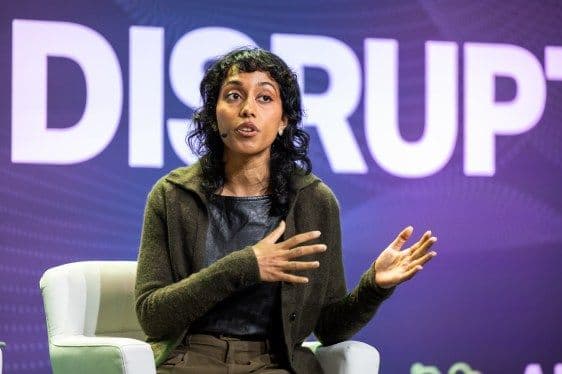
Open source models are becoming more mainstream as enterprises, governments and startups alike rely on the promise of lower costs, more control, and more flexibility. But as increasingly capable models become more freely available, how do companies capture value? And with Chinese open models gaining ground, can American players keep up? On this episode of TechCrunch’s Equity podcast, Rebecca Bellan caught up withIrene Solaiman, Chief Policy Officer and SVP of Strategy at Hugging Face, about what startups need to know before building on open models, from choosing the right tools and infrastructure to navigating the trade-offs shaping the future of open AI. Listen to the full episode to hear about: Subscribe to Equity onYouTube,Apple Podcasts,Overcast,Spotifyand all the casts. You also can follow Equity onXandThreads, at @EquityPod.
View

The company will offer affected employees at least six months’ salary and consolidate more product teams in Sydney as part of an organisational restructuring.
View

The model scored 71.8 across three benchmarks, recording a 44 ms response time on an NVIDIA B200 GPU.
View

The company’s adjusted profit rose 20.7% year-on-year, while its proposed ITC Infotech merger remained on track.
View

Their departures come as Claude Code expands its role in Anthropic’s AI coding business.
View

Altman’s recent comment on RAM shortage has reignited the debate over memory allocation between AI data centres and consumer devices.
View

The new capabilities give AI agents business context, enterprise controls and the ability to execute recurring tasks autonomously.
View

Security, governance and model dependence are emerging as major concerns for businesses, even as executives report productivity gains from AI investments.
View

FDE salaries in India range from Rs 32 lakh to Rs 1.55 crore annually, with compensation rising alongside experience
View
View
View